
adesso imouse e30 2.4 ghz wireless vertical programmable mouse Wrist pain from a flat mouse turns a normal workday into a painful one, and most people don’t realize their mouse is the cause until the ache becomes constant. Standard mice force your forearm into a twisted position for hours at a time. The Adesso iMouse E30 2.4 GHz wireless vertical programmable mouse fixes that by holding your hand in a natural handshake position, and this guide breaks down its features, setup, and real-world performance.
What Is the Adesso iMouse E30 2.4 GHz Wireless Vertical Programmable Mouse?
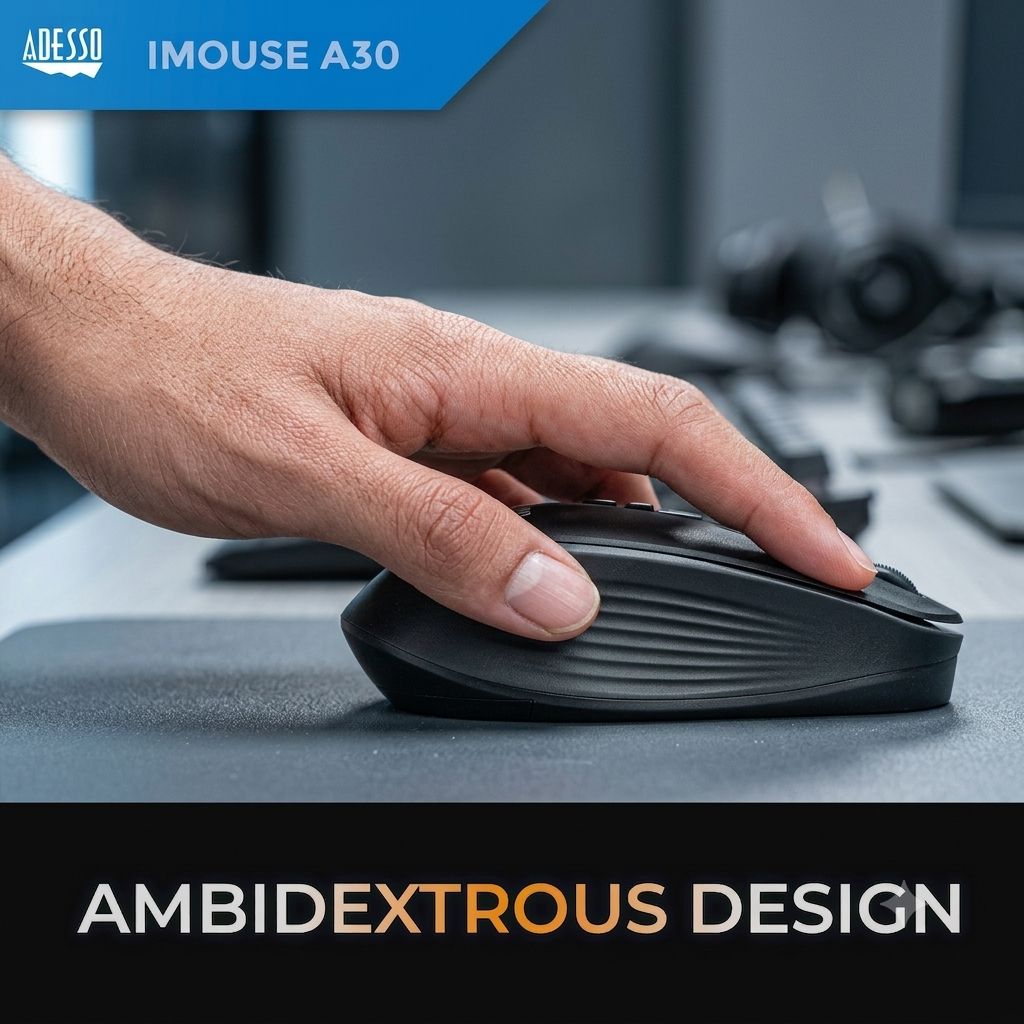
This ergonomic input device is built specifically to reduce wrist and forearm strain during long computer sessions. Instead of a flat, standard mouse shape, it stands at an upright angle so your hand rests in a neutral, handshake-style position.
This orientation matters more than it sounds. A flat mouse forces your forearm to twist inward for hours at a time, which is a known contributor to repetitive strain injuries and early carpal tunnel symptoms among office workers and gamers alike.
Adesso built the E30 around 2.4GHz wireless technology, an optical sensor, and a programmable driver, giving office workers, gamers, and anyone recovering from wrist discomfort a practical upgrade from a standard mouse.
Full Specification Table: Adesso iMouse E30 2.4 GHz Wireless Vertical Programmable Mouse
Here is every core spec pulled from Adesso’s own product documentation, so you know exactly what you’re getting before you buy.
| Specification | Detail |
|---|---|
| Model | iMouse E30 |
| Connection type | 2.4GHz RF wireless, USB receiver |
| Wireless range | Up to 30 feet |
| Sensor type | Optical |
| DPI range | 400-4800 (with programmable driver) |
| Preset DPI levels | 800 (green), 1600 (blue), 2400 (red) |
| Buttons | 6 total, including 2 dedicated internet buttons |
| Hand orientation | Right-handed only |
| Power source | 2 x AAA batteries |
| Power switch | On/off toggle with low-battery indicator |
| Plug and play | Yes, no driver required for basic use |
| Programmable driver | Optional download for macros and custom DPI |
| Surface compatibility | Glass, wood, marble, leather (no mouse pad required) |
| Color | Black |
Keep this table on hand when comparing the E30 against other vertical mice, since DPI range and button count vary widely across brands.
Ergonomic Design: Why the Vertical Shape Matters
The core selling point of the E30 is its contoured, upright shape. Your hand rests in what ergonomists call the handshake position, which keeps your forearm muscles relaxed instead of twisted.
Standard mice force a “twisted forearm” position where your palm faces down for hours at a stretch. Over months or years, that repeated twist contributes to wrist fatigue and, in some cases, early symptoms associated with carpal tunnel syndrome.
Adesso shaped the E30’s body so your thumb and fingers reach the buttons naturally, without stretching or repositioning your grip during normal use.
DPI and Sensor Performance Explained
DPI, short for dots per inch, controls how fast your cursor moves relative to your physical hand movement. The E30 ships with three switchable preset levels right out of the box: 800, 1600, and 2400 DPI, each marked by a different LED color for quick reference.
Installing the optional programmable driver unlocks a wider adjustable range up to 4800 DPI, useful for gaming or detailed graphic work where cursor precision matters. The optical sensor underneath tracks accurately across glass, wood, marble, and leather surfaces, so you can skip a dedicated mouse pad entirely.
Switching DPI levels takes one button press, letting you drop speed for detail work and raise it back up for quick navigation without digging through software settings.
Wireless Connectivity and Battery Life
Reliable wireless range matters just as much as ergonomics for a mouse you’ll use daily. The E30 connects through a 2.4GHz USB receiver with a working range of up to 30 feet, which covers most desk setups and even some presentation scenarios across a conference room.
Two AAA batteries power the mouse, and a physical on/off switch on the underside conserves battery life when the mouse sits idle. A low-battery indicator light warns you before the mouse cuts out mid-task, giving you time to swap batteries instead of losing cursor control unexpectedly.
This setup skips rechargeable internal batteries in favor of easily replaceable AAAs, which means you’re never stuck waiting on a charge cable if the mouse dies during a workday.
Programmable Driver and Button Customization
Buttons on this mouse go beyond basic left-click and right-click functions. Two dedicated buttons on the side handle browser back and forward navigation, which saves reaching for a keyboard shortcut during research-heavy work.
The optional programmable driver adds another layer of control, letting you reassign buttons to custom macros, adjust the DPI range beyond factory presets, and even set one button as a dedicated hotkey for supported AI copilot tools. This makes the mouse flexible enough for gaming setups as well as general productivity work.
Installation is optional, not required. The mouse works immediately as plug-and-play, so casual users never need to touch the driver software at all.
Setting Up the E30: Quick Start Guide
Getting started takes less than two minutes from unboxing to first use. Follow this quick setup sequence for the smoothest experience.
- Insert two AAA batteries into the compartment on the underside of the mouse
- Plug the included USB receiver into any available USB port on your computer
- Flip the on/off switch to power on the mouse
- Adjust the DPI level using the top button until the LED color matches your preferred speed
- Optionally, download the programmable driver from Adesso’s website for custom macros and extended DPI range
No pairing codes or Bluetooth menus are involved, since the mouse connects automatically through its dedicated USB receiver the moment it’s plugged in.
Who Should Buy the Adesso iMouse E30?
This mouse fits a specific set of users better than others, so matching it to your actual daily use matters. Office workers logging long hours at a keyboard benefit most from the reduced wrist strain over a standard mouse shape.
Gamers who want programmable macros and adjustable DPI up to 4800 will find the optional driver software genuinely useful for competitive titles. Anyone already experiencing wrist or forearm discomfort from a flat mouse is a strong candidate for switching, since the vertical shape directly addresses that twisted-forearm posture.
Left-handed users should note this model ships in a right-handed orientation only, so check Adesso’s lineup for a left-handed alternative if that applies to you.
Adesso iMouse E30 vs Other Adesso Vertical Mice
Adesso builds several vertical mouse models, and the differences matter depending on your budget and feature needs. The table below compares the E30 against two close siblings in the lineup.
| Model | Buttons | Max DPI | Wireless Range | Best For |
|---|---|---|---|---|
| iMouse E10 | 6 | Standard preset | 2.4GHz | Budget-friendly vertical ergonomics |
| iMouse E30 | 6 | 4800 (with driver) | Up to 30 ft | Programmable macros, higher DPI control |
| iMouse V30 | Varies | Adjustable | 2.4GHz | Customizable angle plus vertical ergonomics |
The E30 sits in the middle of Adesso’s lineup, adding programmable driver support that the base E10 model doesn’t include, while staying more affordable than fully angle-adjustable options like the V30.
Common Problems and Fixes for the iMouse E30
A few recurring issues come up with wireless vertical mice, and most have simple fixes. Knowing these ahead of time saves troubleshooting time later.
- Cursor lag or unresponsiveness: Re-seat the USB receiver in a different port, since some USB hubs cause interference with 2.4GHz signals
- Mouse won’t power on: Check battery orientation and confirm the on/off switch is in the correct position
- DPI won’t change: Make sure the programmable driver isn’t running in the background and conflicting with the default preset button
- Tracking issues on certain surfaces: While the optical sensor handles most surfaces well, highly reflective or transparent glass can occasionally reduce accuracy
Most connectivity problems trace back to USB port placement rather than the mouse itself, so try a different port before assuming a hardware issue.
Is the Adesso iMouse E30 2.4 GHz Wireless Vertical Programmable Mouse Worth Buying?
For anyone dealing with wrist fatigue from a standard mouse, this vertical mouse delivers genuine ergonomic relief backed by practical features like adjustable DPI and programmable buttons. The plug-and-play setup means you’re productive within minutes, while the optional driver software adds real depth for gamers and power users who want more control.
The main tradeoff is the right-handed-only design, so left-handed users will need to look elsewhere in Adesso’s catalog. For right-handed users prioritizing comfort and precision, this mouse checks nearly every box at a reasonable price point.
Compare the spec table above against your current mouse, then give your wrist the upgrade it’s likely been waiting for.
Frequently Asked Questions
What is the DPI range of the Adesso iMouse E30?
Short answer: The E30 offers three preset levels out of the box at 800, 1600, and 2400 DPI, extending up to 4800 DPI with the optional programmable driver installed.
Each preset level corresponds to a different LED color, so you can confirm your current speed setting at a glance. The extended range through the driver software gives gamers and detail-focused users finer control than the base presets alone provide.
Does the Adesso iMouse E30 require software to work?
Short answer: No, the mouse works immediately as a plug-and-play device once the USB receiver is connected.
The programmable driver is entirely optional and only needed if you want custom macros, extended DPI settings, or button reassignment. Casual users can skip the software download completely and still get full use of the mouse’s core functions.
Is the Adesso iMouse E30 good for wrist pain?
Short answer: Yes, its vertical design keeps your hand in a neutral handshake position instead of the twisted-forearm posture a standard mouse requires.
This posture change is the same principle ergonomic specialists recommend for reducing strain associated with long computer use. Users already experiencing wrist discomfort from a flat mouse often notice a difference within the first few days of switching.
How long does the battery last on the Adesso iMouse E30?
Short answer: Battery life depends on usage, but the mouse runs on two replaceable AAA batteries with a physical on/off switch to conserve power when idle.
A built-in low-battery indicator warns you before the batteries fully die, giving you time to swap them out. Since the mouse uses standard AAA batteries rather than a proprietary rechargeable cell, replacements are easy to find anywhere.
Is the Adesso iMouse E30 available for left-handed users?
Short answer: No, the iMouse E30 is manufactured in a right-handed orientation only.
Left-handed users looking for a similar ergonomic vertical mouse from Adesso should check the company’s broader product lineup, as some other models in the catalog offer different hand orientations or adjustable designs.
What is the wireless range of the Adesso iMouse E30?
Short answer: The mouse connects via 2.4GHz RF technology with a wireless range of up to 30 feet from its USB receiver.
That range comfortably covers a standard desk setup, and it’s generous enough for presentation scenarios where you might step away from your computer. Interference from other 2.4GHz devices nearby can occasionally reduce effective range slightly.
About This Guide
This guide was compiled using Adesso’s official product specifications, the manufacturer’s user manual, and verified authorized retailer listings, cross-checked for accuracy before publication. It reflects specifications current as of 2026.
Sources referenced:
- Adesso, Official iMouse E30 Product Page and User Manual
- CDW, Adesso 2.4 GHz Wireless Vertical Programmable Mouse Listing
- Amazon, Adesso iMouse E30 Product Specifications
- ProVantage, Adesso IMOUSE E30 Product Details
Ready to give your wrist a break? Compare the spec table above against your current mouse, then set up the E30 in under two minutes and feel the difference in your first session.